Chapters
- What is Proxy Voting
- Organization-Wide Proxy Settings
- Enabling Proxy Voting for a Vote
- Letting Voters Delegate Themselves
- Creating a Delegation Yourself
- Managing All Delegations
- Proxy Voting with Weighted Votes
- Important Notes
- Additional Resources
What is Proxy Voting
Proxy voting, also called delegation or voting delegation, enables a voter who can't participate to delegate their voting right to another eligible voter. There are two ways to create a delegation: the voter sets it up themselves, or you create it directly on their behalf. Both are fully supported, and which one you use depends on your bylaws and the level of self-service you want to offer.
Organization-Wide Proxy Settings
- Go to Voting Rights → Proxy Settings to configure delegation rules for your organization in the proxy settings:
- Enable permanent proxy voting: This allows delegations to stand across future elections, provided they're enabled on each specific vote.
- Decide whether new delegations should also apply to votes that are already open—meaning whether delegation can happen during an active election.
- Optionally set max delegations per voter, to limit how many delegations a voter can receive at once and ensure compliance with your bylaws.
Once a voter reaches the maximum number, they're no longer available for selection by other voters seeking to delegate.
- When creating a vote, set "Allow proxy voting?" to Yes. Choose which voter list is eligible to receive delegations for that specific election.
Done. Voters can now delegate their vote themselves, or an election manager can create a delegation directly on a voter's behalf.
Proxy Voting with weighted votes
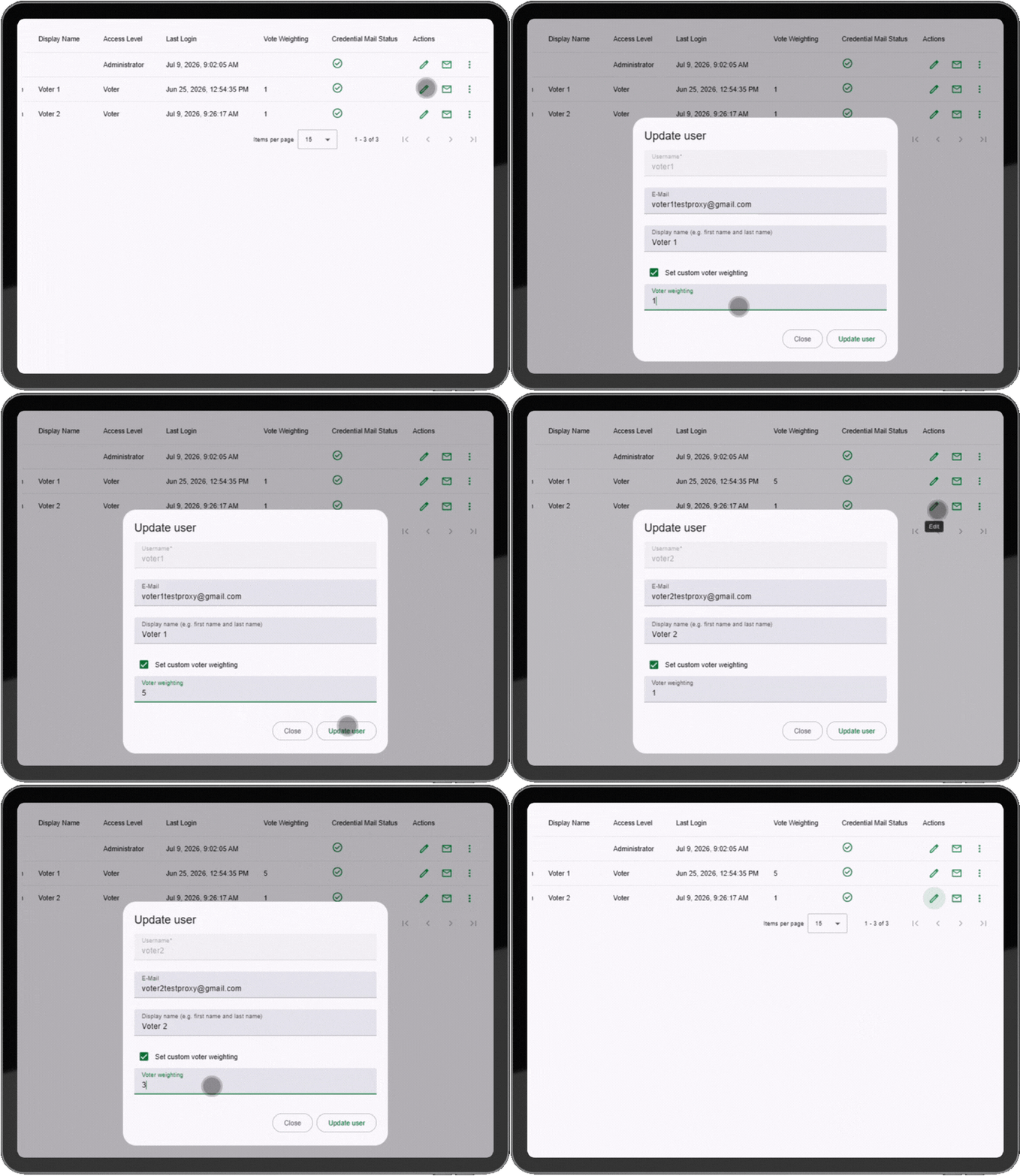
If weighted voting is enabled, a delegated ballot automatically carries the delegating voter's weight.
Enabling Proxy Voting for a Vote
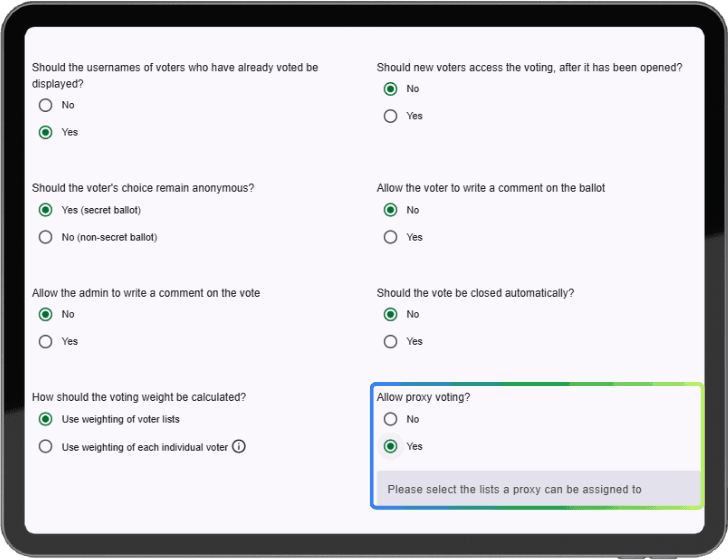
When creating or editing a vote, set "Allow proxy voting?" to Yes and choose which voter list is eligible to receive delegations. A delegation only transfers voting rights if the recipient is on one of the lists you select here.
Letting Voters Delegate Themselves
If self-service fits your organization, voters can delegate their own vote from their personal proxy voting page.
Creating a Delegation Yourself
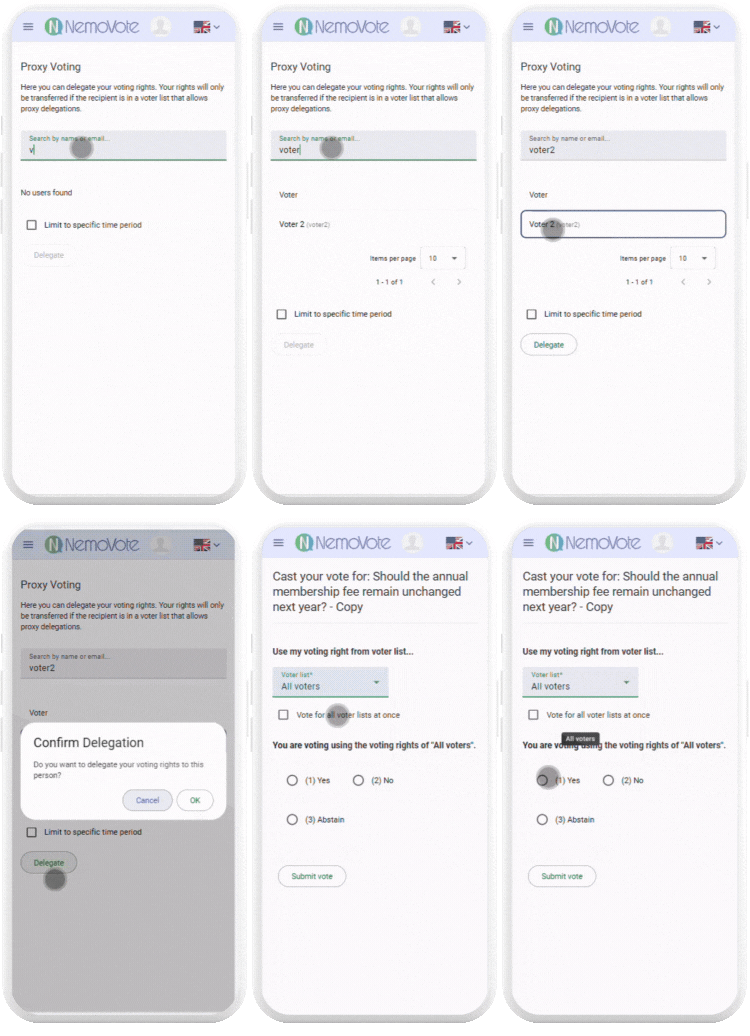
Some organizations don't want voters delegating on their own, and some delegations originate from outside the platform (for example, a paper proxy submitted at a meeting). For both cases, you can create the delegation yourself:
- Go to Voting Rights → Proxy Settings.
- Click Create delegation.
- Search for the delegating voter—the one whose vote is being delegated.
- Then select the recipient—the voter receiving the delegation.
- Click Create delegation. The delegation now appears in the table of all delegations.
Managing All Delegations
The All Delegations table on the Voting Rights → Proxy Settings page lists every delegation in your organization, whether created by a voter or admin. Use the search bar to find a specific delegation.
The table shows: the delegating voter, the recipient voter, who created the delegation and when, when it becomes valid, and when it expires.
| Type | Created by | Can be deleted by | |------|---|---| | Voter | The voter themselves | Only that voter | | Admin | An election manager | Any admin |
Proxy Voting with Weighted Votes
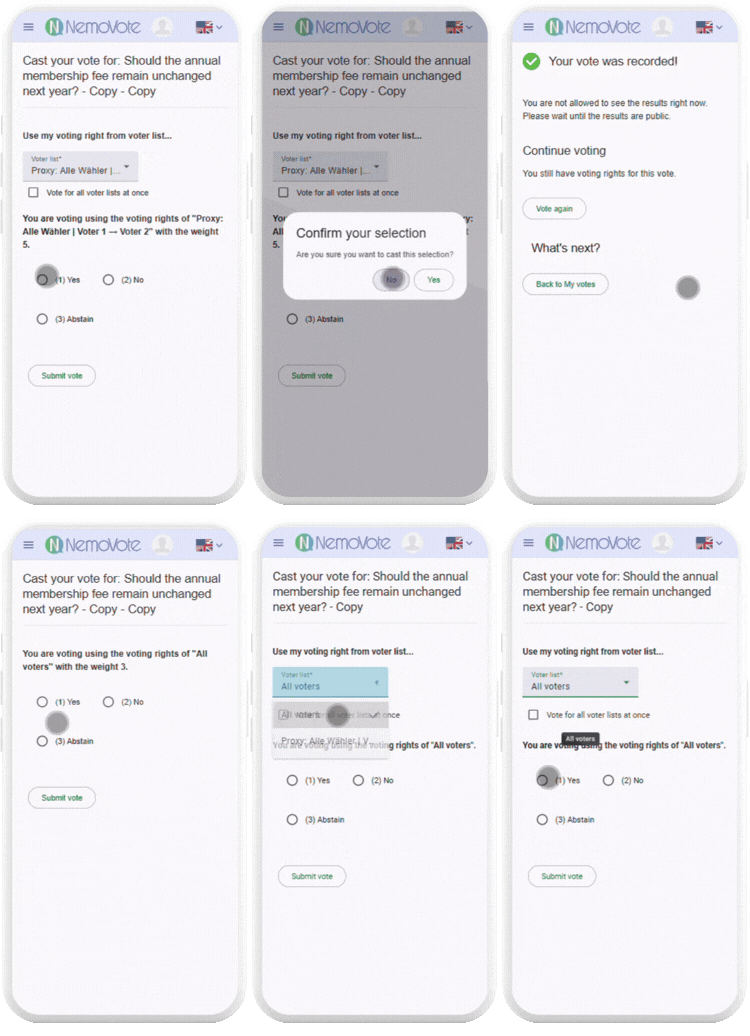
If weighted voting is enabled, a delegated ballot automatically carries the delegating voter's weight. No extra configuration is needed.
Important Notes
- Cascading delegations: If voter A delegates to voter B, and B has also delegated onward to voter C, C casts all the accumulated ballots.
- Revocation: If a delegation is deleted before the recipient has voted, the voting right transfers back automatically. After the ballot has been cast, it cannot be reversed.
- Deletion rules: You can only delete delegations with Type "Admin." Voter-created delegations can only be removed by that voter or, in individual cases, by the NemoVote team.