Digital voting for works councils
Employee representative elections, for European Works Councils, committee resolutions and subcommittee elections. Approved by every IT security department so far. If you want, we look after your election for the entire voting period.


Goodyear Retail Systems:
from postal ballots to digital voting
- eligible voters
- 800
- previous method
- Postal ballot
- turnout
- 32 %
This video is embedded via YouTube, a Google service.
By clicking on the „Play“ button, a connection to the YouTube server is established to display the video and you give your consent for your personal data (e.g. your IP address and the date and time you accessed this page) to be transmitted to Google and for Google to set cookies on your end device, which may also be used for marketing purposes. You can withdraw you consent at any time in the website´s privacy settings. You can find further information on this, in particular on the cookies set, in our privacy policy. Information on how Google processes your data can be found at https://www.google.de/intl/de/policies/privacy.
Higher turnout than the previous postal ballot, at significantly lower cost. All the more notable because two candidates stood for two positions: a straight confirmation where the outcome was clear from the start.
Four reasons that matter to employee representatives
Your election rules, one to one
We map your rules in the system instead of forcing you into a standard procedure. If a function is missing, we build it or you get your money back.
Secret from the moment a ballot arrives
Ballots are anonymised on arrival. Voter data and voting data are stored separately. Nobody can link a vote to a person, not even us.
Single sign-on and SCIM
Employees sign in with their company login. The voter register comes straight from your system and stays up to date.
Fully managed voting
Works council elections often run for two weeks. On request we set the election up together with you, manage it and support the entire period.
The number 1
for high IT security requirements
To the best of our knowledge, NemoVote is the only GDPR-compliant online voting provider in Europe that supports single sign-on and, on top of that, SCIM. Your IT team will like this.
The voter register stays up to date on its own
New employees, leavers and department changes are picked up automatically by SCIM. Nobody has to reconcile lists.
No passwords in circulation
Employees sign in with the company login they already use. Nothing is printed, nothing is handed out, nothing gets lost.
Who is eligible becomes verifiable
Eligibility comes from the system, not from a spreadsheet whose version nobody can account for later.
IT does not have to hand over an employee list
No file leaves the company. That takes the sting out of a common conflict between the works council and the employer.

Four situations where employee representatives use NemoVote
1. Cross-border bodies
SE works councils and European Works Councils
Digital elections are an established route here, and with sites spread across countries often the only practical one. Each region elects its own delegates.
- Any number of voter lists per region, country or site
- Each person only ever sees their own ballot with their own candidates
- No access to elections outside their own area
- Separate results per voting area
2. Constitution and committees
Elections inside the body
Chair, deputy chair, works committee, economic committee, conciliation board. Secret and documented.
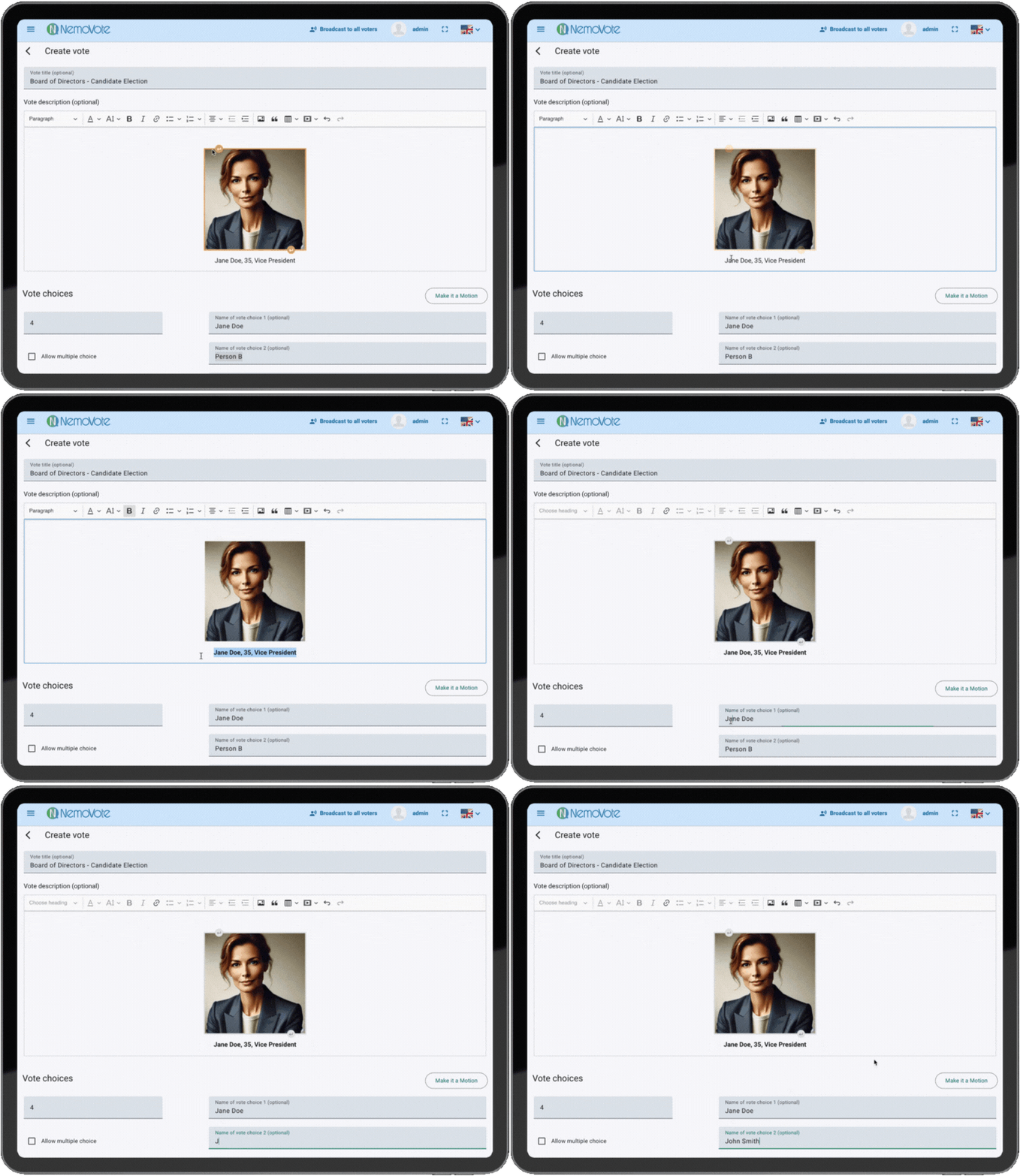
- Candidate profiles with photo and introduction
- Results visible to administrators only, viewable live
- Several rounds of voting without a new setup
3. Day-to-day committee work
Works council resolutions
Works agreements, approvals, statements. A vote is set up in under a minute, even spontaneously during a meeting.
- Open or secret, depending on the resolution
- Comment function documents special circumstances for the minutes
- Results exportable immediately
4. Workforce
Works meetings and surveys
On site, hybrid or spread across several shifts. Also for employees without a company account.
- Every eligible person gets their own individual QR code, no shared codes and no shared access
- The code works exactly once and belongs to one person
- Voting on a private phone, no download and no app
What makes the difference for committee votes
Six functions that matter for elections in employee representation.


Language per voter
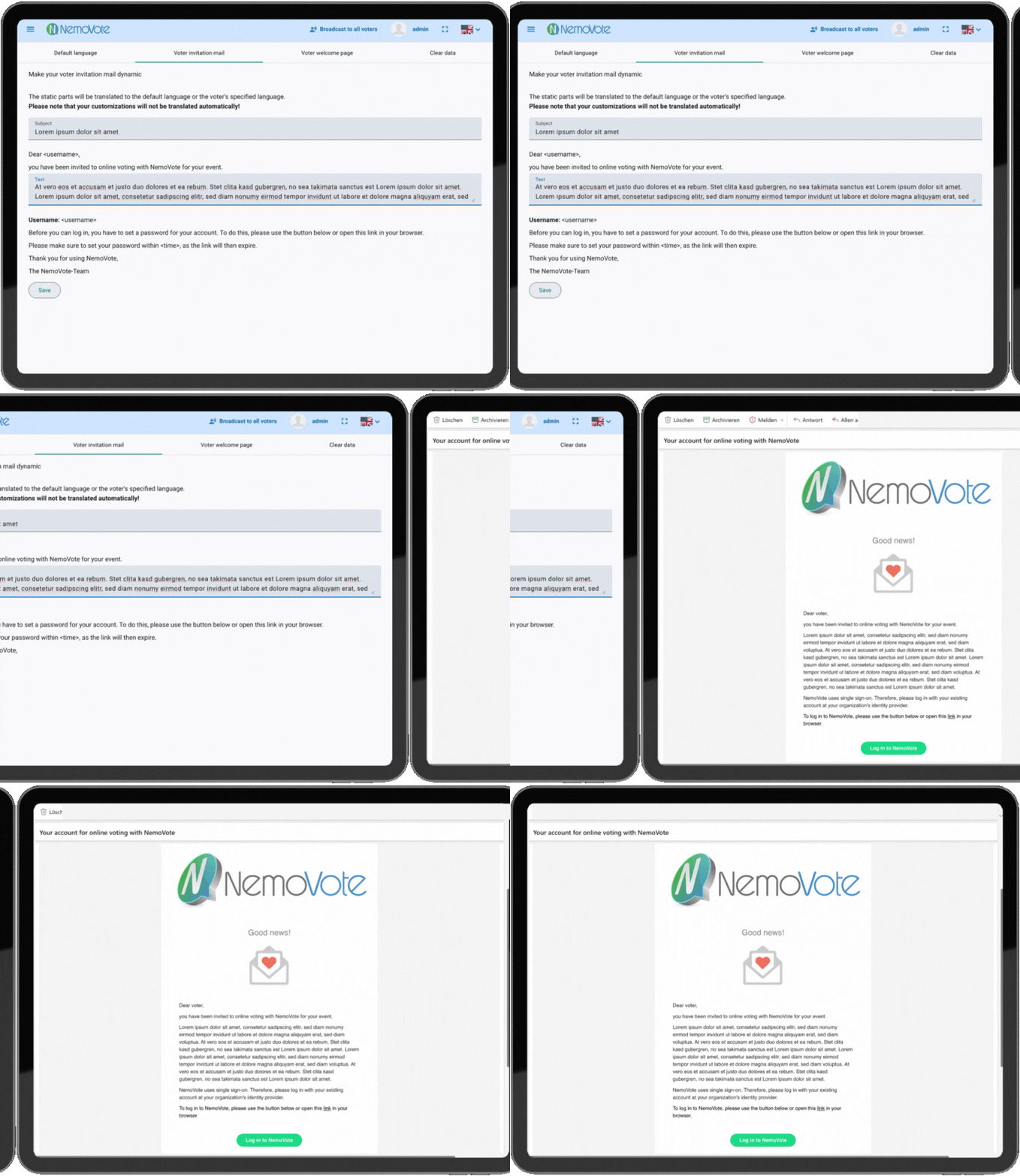
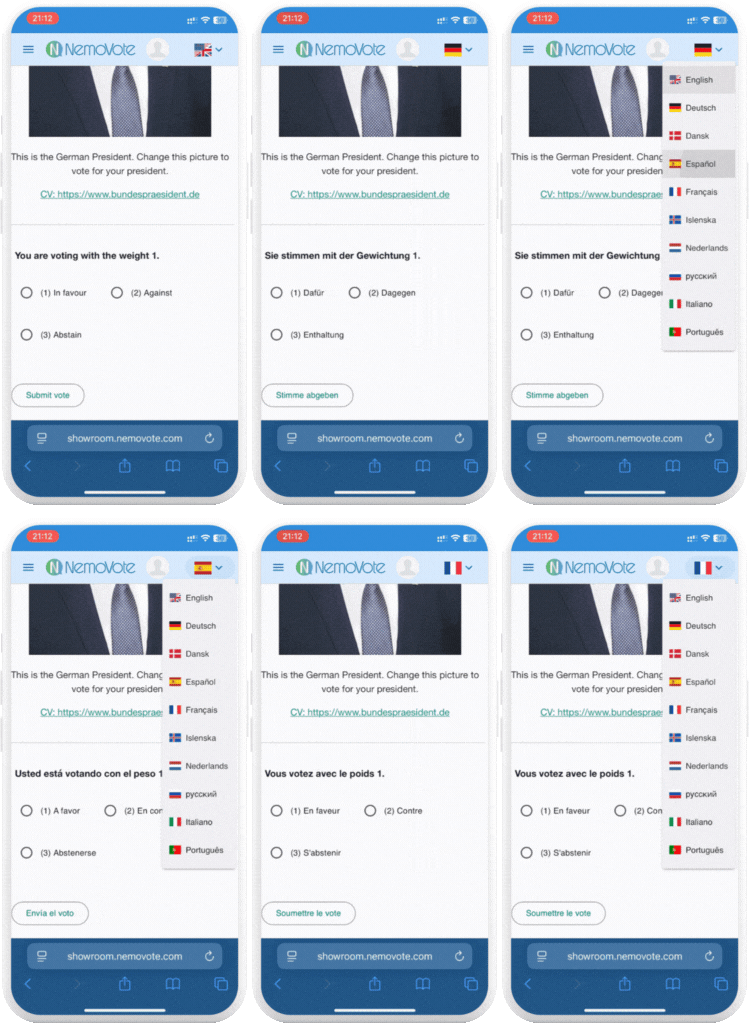
The language can be set per person from the start. Invitations, reminders and the interface then arrive in that language. Voters can switch to any of the ten available languages themselves at any time.
Workforces are multilingual. People who do not understand the invitation do not vote.
Also included: white label with your logo and colours, unlimited administrators for a multi-member election committee, decentralised admin rights for companies with several sites and multi-level bodies, and results in real time.
From the first conversation to the result in about a month
Most of that time goes into your internal coordination, not into the technology. The actual setup takes half a day, the test election half an hour.
Tell your workforce early
People who expect the invitation will open it. Let people know in good time that voting is digital, why you decided on it and that their vote stays secret.
The voting period depends on the occasion
| Works council election | about two weeks |
|---|---|
| Works meeting | one day |
| Resolution during a meeting | a few minutes |
First conversation
30 to 60 minutes
You describe your procedure, we tell you what NemoVote covers. Depending on your organisation, one or two further meetings follow on commercial terms and IT security, often with your IT team and data protection officer at the table.
Try it out
usually 7 days
You test NemoVote yourself, with no commitment and with real functionality.
Setup
about half a day
Single sign-on is connected, ballots are prepared, candidate profiles created. The voter register is built in the same step: automatically via SCIM, or as an import if no connection exists yet.
Test election
about 30 minutes
Run through everything once before it counts: create test voters, send the invitation, clone your ballot as a test version, vote with a small group, send a reminder, view the result and export it. In self-service you do this yourself. With fully managed voting the step usually falls away, because we know the process.
Voting period
two weeks on average
You open the election when you want to and set the closing time. Reminders go out, individual access can be resent at any time. In parallel you promote the election via intranet, newsletter or noticeboard.
Result
immediately after the election closes
If an interim status is useful, you can see it while voting is still running. Export, publish, done. No counting, no waiting.
How NemoVote protects your election
Only people approved by the election committee can vote. Voter data and ballots are secured separately, so no vote can be traced back. Logging and encryption keep the voting data unchanged, and once a vote is cast it cannot be altered. All processing and storage takes place in the EU.
How NemoVote protects elections
Privacy: authorized access only
Only voters authorised to vote by the electoral board can cast a ballot
Election integrity: protecting data
Voting data stays logged: No voting data can be modified throughout its lifecycle

Secret ballots are untraceable
Voter data is separated from its ballot. No traceability - anonymous without compromise

Digital ballot box: cast votes are persistent
Once a vote is cast, it can not be changed or modified. Just like in a ballot box.

GDPR compliance: EU data stays local
We ensure any data is processed and stored in the EU. NemoVote is fully GDPR-compliant.

Further reading on digital works council elections
Legal background and practical experience from our blog.


Frequently asked questions


We drive innovations
The BSFZ seal certifies institutions that have received at least one approval from the Research Allowance Certification Office (BSFZ) to carry out their R&D activities.