Chapters
- Introduction to Vote Weighting
- Applying weighted voting according to statute
- How Weighted Votes Are Calculated
- Additional Resources
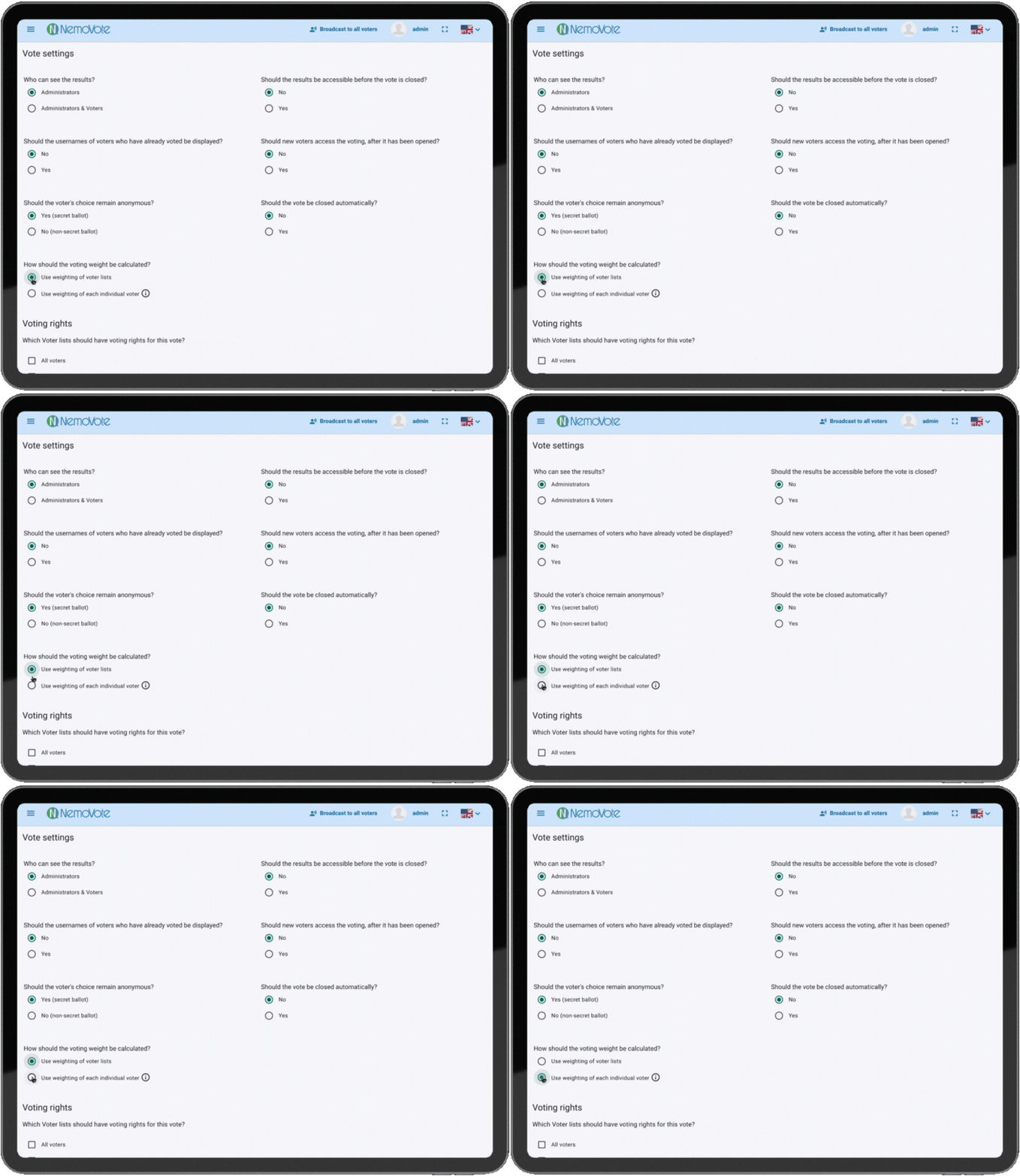
Introduction to Vote Weighting
Weighted voting allows organizations using NemoVote to assign different voting power to members or voters based on their role, status, or other criteria. For example, one voter’s ballot can count as three votes, while another’s counts as one.
This flexibility supports complex governance structures and ensures fair representation. NemoVote supports two main methods to assign weights, each designed to adapt to your organizational needs.
If you use weighted voting alongside proxy voting, a delegated ballot automatically carries the delegating voter's weight. More on this down below.
Application of weighted voting according to your statute
Weighting by Voter Lists
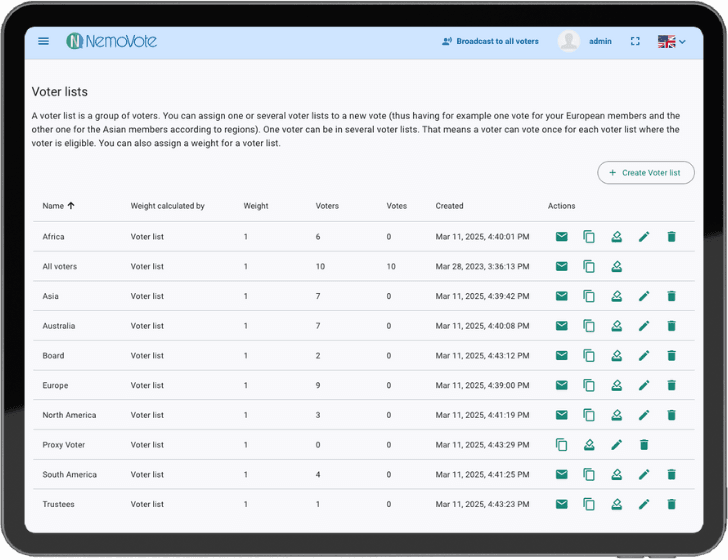
One efficient way to manage vote weighting is by assigning a weight to an entire voter list.
- All voters in a list share the same weight.
- The same voter can belong to multiple lists, each with different weights.
For instance, a voter in “Voting List 1” with weight 1 and simultaneously in “Voting List 5” with weight 5 will have multiple vote weights applied during the election and can cast two seperate ballots.
This approach simplifies management when groups of voters have equal influence.
Individual Voter Weighting
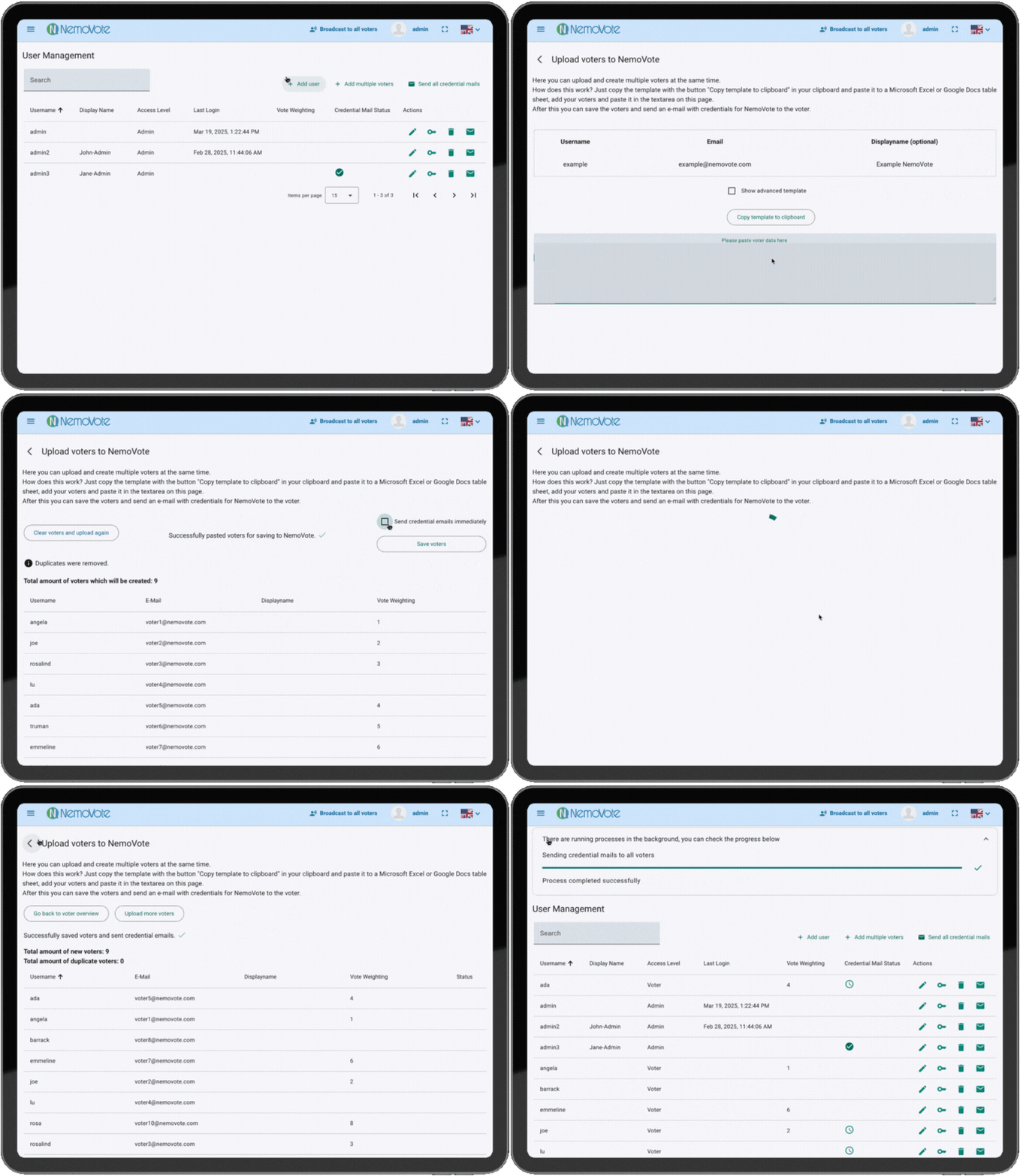
Alternatively, weights can be assigned on an individual level per voter.
- Each voter has a custom weight set during creation or editing in User Management.
- The weight is displayed in the “Vote Weight” column.
- You may edit the weight using the pencil icon (edit)
Batch upload also supports weights by including predefined values in your spreadsheet.
Use individual weighting, if:
- Voter have a individuell voting weight depending on shares, level or organizational size
- Specific persons have unique voting rights
- Specific voters have a interchangable weight
- Weighting is not strictly group based
- You need detailed control for each voter
Applying Individual Weighting to Specific Voter Lists
NemoVote also supports mixing the methods by applying individual weighting only to certain voter lists in a vote.
- Select “Use weighting of voter lists” when creating the vote.
- Create specific lists with the setting “Use weighting of individual voter".
When a voter votes via such a list, their personal weight is applied instead of the list’s weight, while other lists use their predefined weights.
This approach allows combining group-level and individual-level weighting flexibly.
Proxy Voting with weighted votes
Read how to set up Proxy Voting in detail.
When a voter delegates their vote, their voting weight transfers automatically with the delegation, no voter list setup required. This means the proxy holder can:
- Vote with their own ballot, using their own weight
- Cast an additional ballot on behalf of the person who delegated to them, using that person's weight
[IMAGE/VIDEO PLACEHOLDER] — shows a short recording of a voter with a visible weight delegating their vote, and the recipient's ballot showing the transferred weight.
How Weighted Votes Are Calculated
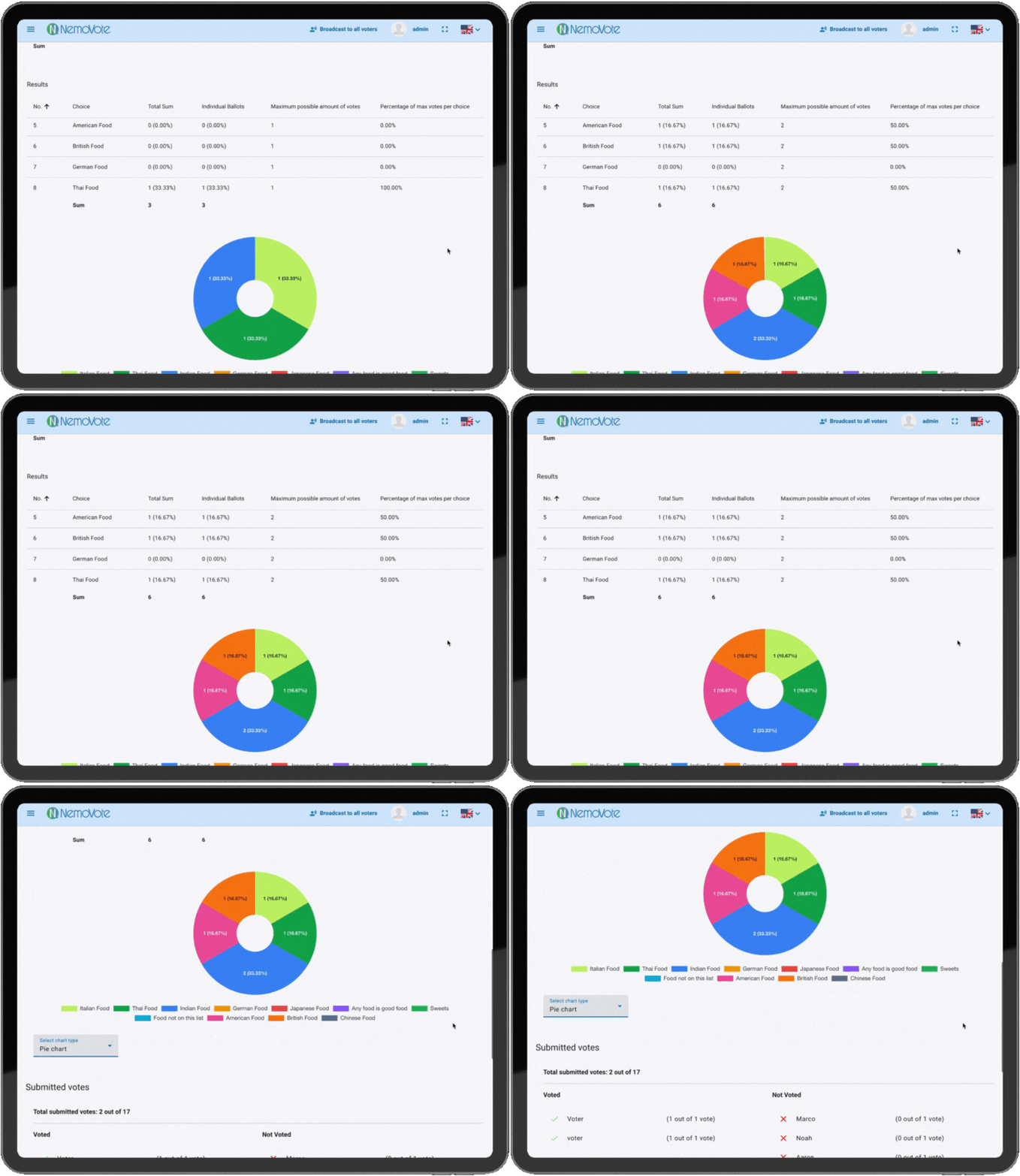
Weighted votes are tallied by multiplying the number of individual ballots by their respective weights. NemoVote presents:
- Individuall Ballots (Number of ballots received)
- Total Sum (weighted sum)
Example: Voting with three voter lists
- List A: Weight 1, 2 Voters
- List B: Weight 1, 2 Voters
- List C: Weight 4, 2 Voters
Upon cast of all 6 votes:
- Individual Ballots: 6 (2 voters × 3 lists)
- Total Sum (weighted ballots):
- List A: 2 x 1 = 2
- List B: 2 x 1 = 2
- List C: 2 × 4 = 8
- Total Sum = 2 + 2 + 8 = 12
The weighted results determine the final vote percentages displayed.
This way you can explain members in detail how weighted voting results have been achieved.
Additional Resources
Expand your knowledge on voting and administration with these articles:
- Managing Voter Lists
- System Management Overview
- Casting Votes as a Voter
- Understanding Voting Security