Chapters
- Introduction and Overview
- Available Languages
- Changing Language at Login
- Changing Language In-App
- Default Language Settings (Admin)
Introduction and Overview
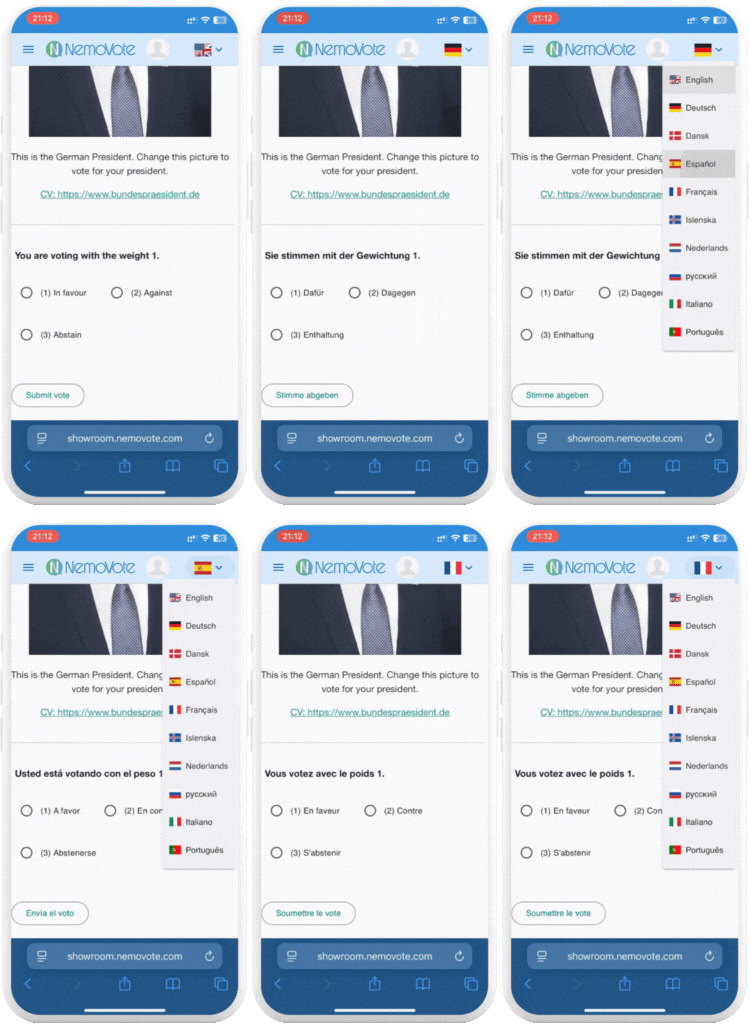
NemoVote supports multiple languages for both voters and administrators, allowing a broad audience to participate comfortably in their preferred language. This facilitates inclusive and accessible online voting experiences.
Available Languages
Currently, NemoVote offers Online Voting in 10 languages:
- 🇬🇧🇺🇸English
- 🇩🇪German
- 🇪🇸Spanish
- 🇫🇷French
- 🇳🇱Dutch
- 🇵🇹Portuguese
- 🇮🇹Italian
- 🇷🇺Russian
- 🇩🇰Danish
- 🇮🇸Icelandic
These languages are available for voters and administrators alike and for international organizations and multilanguage associations appreciated.
Additional languages can be made available upon request.
Changing Language In-App
Voters and administrators can change the language within the NemoVote app at any time by selecting the language option in the top navigation bar.
Changing Language at Login
Each voter can select their preferred language directly on the login screen. The interface text will then appear in the chosen language.
Default Language Settings (Admin)
Administrators can set a default language that will automatically apply when a voter logs in to NemoVote. However, this default language must be set before uploading voter lists to ensure voters are created with the correct default language.
Once logged in, voters still have the option to change their language individually.
Administrators can adjust the default language in the system management settings.