Chapters
- Introduction and Overview
- When a Password Is Needed
- How to Change Your Initial Password
- Security and Best Practices
- Alternative Login Methods
- Summary
Introduction and overview
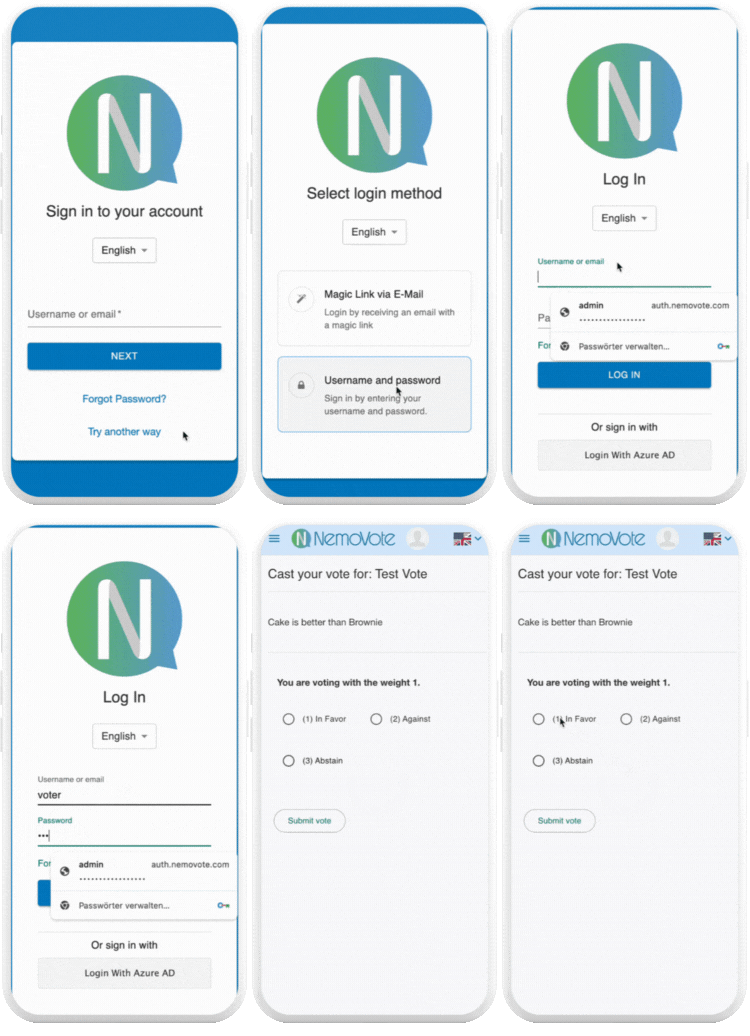
In most NemoVote elections, no password is required. The vast majority of voters access their ballots securely through Magic Links or authenticated Single Sign On (SSO) connections. Using a password is only necessary in exceptional cases where your organization opts for the classic username and password login.
This article explains how voters who log in with passwords can safely change their initial password, and what to keep in mind for data protection and security.
When a password is needed
Normally, voters are added to NemoVote by administrators. That means each voter either:
- Receives individual login credentials directly from an administrator, or
- Gets automatic login data through NemoVote’s built‑in mass email function.
In the case that your organization opted for the classic user name and password login, the login credentials include a username and a temporary password. When you first log in, NemoVote prompts you to change that password for security reasons.
How to change your initial password
Once you log in with the credentials provided by your administrator, you’ll be asked to define your personal password. Simply enter a new password on your NemoVote home page and confirm the change.
It’s highly recommended to change your initial password immediately for two key reasons:
- Security: In cases where your administrator created your account and distributed passwords manually, it’s possible they still have access to that initial password.
- Convenience: Automatically generated passwords are usually difficult to remember. Consider choosing a secure but memorable password instead.
Voters may also continue with their old password if they choose not to change it, although this is discouraged.
Security and best practices
Changing your initial password improves account security by ensuring that only you know your access credentials. For additional data protection:
- Use a password of at least 10 characters
- Include uppercase and lowercase letters, numbers, and symbols
- Avoid reusing passwords from other platforms
However, remember that password-based login is rarely used in NemoVote. More efficient authentication methods are available (see below).
Alternative login methods
Passwords are now the exception in NemoVote elections. Most organizations rely on modern authentication options like Magic Links or Single Sign On (SSO), which provide faster access and higher security.
Summary
Passwords can still be used in NemoVote elections, but they are now the exception. For most users, Magic Links and Single Sign On provide faster, safer, and simpler access.
If your election uses the classic login method, be sure to change your initial password and choose a secure one — it enhances both your privacy and the overall security of the election process.